
AI Automation for Small Businesses: What to Automate First
Start with the jobs that happen the same way every time and cost you money when they’re slow: replying to new leads, following up, booking and reminders, asking for reviews, and weekly reporting. Instant lead replies come first — they’re the easiest win and the costliest to get wrong.
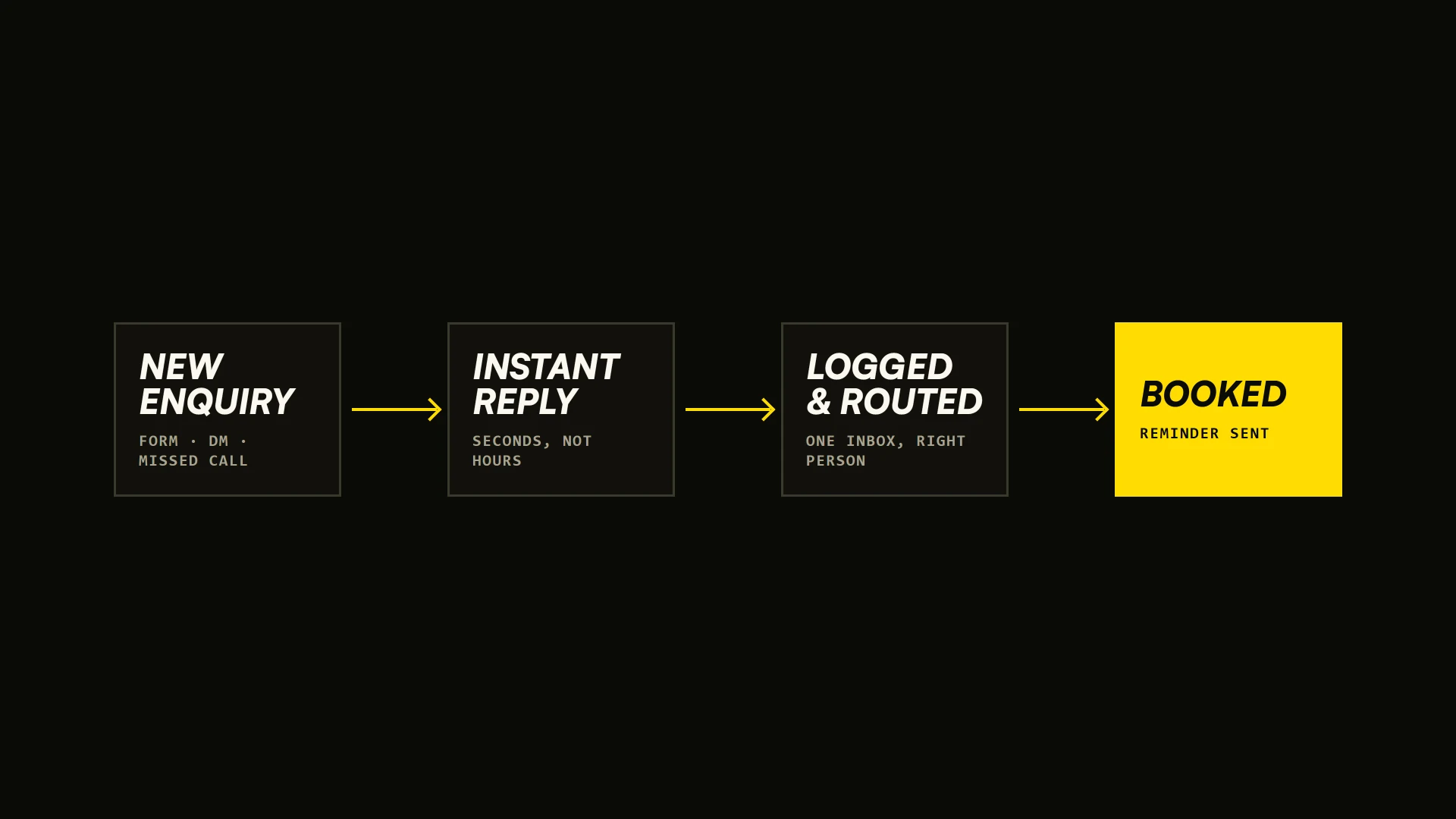
Most small businesses don't need an "AI strategy". They need the same five jobs to stop eating their week: answering new enquiries, following up, booking, asking for reviews, and pulling together the numbers. Those jobs happen the same way every time, which is exactly what automation is good at. Here's where to start, what AI adds, and what to leave to a person.
What should a small business automate first?
Rank every repetitive task by two questions: does it happen the same way every time, and does it cost you money when it's slow or forgotten? The tasks that score high on both come first. For most local businesses, that order looks like this:
- 1. Replying to new leads, instantly. Web forms, Instagram and Facebook messages, missed calls. Every enquiry gets an immediate, useful reply and lands in one place your team checks.
- 2. Following up. A short sequence for people who asked and went quiet: a reminder, an answer to the common objection, a last check-in.
- 3. Booking and reminders. Let people book themselves, then send reminders so fewer bookings turn into no-shows.
- 4. Asking for reviews. A message after the visit or job, with your Google review link, sent to happy customers at the right moment.
- 5. Reporting. One weekly summary of leads, bookings, sales and ad spend, instead of logging into six dashboards.
Content comes after these. Repurposing one shoot into posts, captions and emails is a great use of AI, but it rarely loses you money the way a slow reply does.
Why is replying to leads the first thing to automate?
Because people rarely contact just one business. Someone looking for a caterer, a contractor or an agency sends three enquiries and talks to whoever answers first. Research published in Harvard Business Review on online sales leads found that most companies "are not responding nearly fast enough", and that has not changed much since.
An instant reply doesn't have to be a sales pitch. It confirms you got the message, answers the obvious question (availability, price range, next step) and gives a way to book. Then a person picks up the real conversation, with the lead already logged.
What does AI add on top of simple automation?
Classic automation follows fixed rules: when a form arrives, send this email and create that contact. AI adds judgment to those steps:
- Understanding messages. Reading an enquiry and sorting it: a catering request, a complaint, a job applicant, spam.
- Drafting replies. Writing a first response in your tone for a person to approve, or sending it directly for simple, safe questions.
- Answering questions on your website. An assistant trained on your own menu, services, prices and policies, which hands the conversation to a person when it should.
- Summarising. Turning a call, a long email thread or a week of reviews into three lines you can act on.
Most small businesses already use AI this way at a personal level. In a 2026 Business.com survey of 1,009 workers at companies with fewer than 250 employees, employees reported saving 5.6 hours a week with AI tools. The bigger gains come when those tools are connected to the work itself, not just used in a chat window.
What have we automated ourselves?
We run our own business on the same kind of systems we build for clients. On this website, for example:
- Every contact form lead is emailed to the team the moment it's sent, with spam filtered out before it reaches the inbox.
- Newsletter sign-ups confirm themselves. Subscribers get a confirmation email, a welcome once they confirm, and a one-click unsubscribe link in every message, with no one managing a list by hand.
- Publishing notifies search engines. When we publish or update a page, one command tells Bing and the other IndexNow search engines to re-crawl it.
- Video goes through a pipeline. One command turns raw 4K footage from a shoot into web-ready versions and preview images, so a new reel goes live without exporting each file by hand.
None of these is complicated. Together they remove a few hours of fiddly work every week and make sure nothing falls through the cracks.
What does this look like for a restaurant?
Restaurants have some of the clearest wins:
- Reservation reminders the day before, with a one-tap way to cancel, so the table can be given to someone else.
- Catering and private-event enquiries routed straight to the right person with the details already collected (date, headcount, budget), instead of sitting in a general inbox.
- Review requests sent after a visit, only to guests who opted in.
- A weekly numbers email pulling sales, labour and top dishes from the POS, so the owner sees the week on one screen.
- Social content repurposing: one shoot becomes a month of posts, stories and captions, with a person approving each one.
What should you not automate?
- Anything that needs care: complaints, refunds, a regular who had a bad night. Automate the alert, not the apology.
- Offers and prices an AI could get wrong. Let AI draft them; let a person send them.
- Messages people didn't agree to receive. Only text or email people who gave you their details and agreed to hear from you. US rules on marketing texts are strict, and an annoyed customer is worse than a silent one.
- A broken process. Automating a messy process just makes the mess faster. Fix the steps first.
What does it cost to get started?
Less than most people expect. Most of the tools involved, like form builders, CRMs, email platforms and automation tools such as Zapier, Make or n8n, have free or low-cost starter plans. The real cost is setting it up properly: deciding the rules, writing the messages, connecting the systems and testing it until it's reliable.
A sensible first project is a single automation, usually the instant lead reply, built and running in days. Measure it for a month, then add the next.
Want to know what to automate in your business?
We build these systems for businesses in Tampa and across the US: lead capture and CRM routing, AI chat and booking on your website, content pipelines, and reporting. See what's included in AI automation, or tell us what's slowing your team down and we'll suggest where to start.
Questions people ask
What is the first thing a small business should automate?
Replying to new leads. An instant, useful reply to every form, message and missed call, with the lead logged in one place, stops you losing customers to whichever business answers first.
What is the difference between automation and AI automation?
Automation follows fixed rules, like sending an email when a form arrives. AI automation adds judgment: sorting messages by type, drafting replies in your tone, answering questions from your own information, and summarising calls or reviews.
How much does AI automation cost for a small business?
The tools are usually inexpensive, and many have free or low-cost starter plans. The main cost is setting the system up properly: the rules, the messages, the connections between tools, and testing. A first automation can be running within days.
What should a small business not automate?
Complaints and anything that needs care, prices or offers an AI could get wrong, messages people did not agree to receive, and processes that are already broken. Automate the alert and the draft; keep a person on the decision.
Newsletter
Liked this? Get the next one first
New writing on getting found in search and AI answers, restaurant marketing, and the work behind our projects. Only when it’s worth your time.
How we can help
Four pillars: content and publishing pipelines, lead capture and CRM routing, AI chat and booking on your site, and internal ops and reporting automation — built around what’s actually slowing your team down.
Web DesignCustom Next.js and Payload websites, paired with original in-house photography and video — built to load fast, rank well, and give you full editorial control without touching code.
Proof
Keep reading
Most professionally built small business websites cost between $2,000 and $12,000, plus roughly $120–$2,400 a year to host and maintain. DIY templates cost far less up front; custom sites with booking, ordering, several languages or system integrations often start around $15,000.
Custom Website vs. Wix, Squarespace or WordPress: What Should a Growing Business Choose?There is no single right platform. Squarespace and Wix are genuinely good choices for a small site that rarely changes. WordPress suits content-heavy sites with a maintainer. A custom build earns its cost when the site is a working part of the business rather than a brochure, and when speed, structure or integrations start deciding revenue.
When Should a Business Redesign Its Website?Redesign when the site is costing you something measurable, not when it feels dated. The real signals are slow loading, poor mobile experience, visitors who arrive and do not convert, a brand that no longer matches, content nobody can update, and a business that has changed while the site has not. Looking old is the least important reason on that list.